
Programs & institute access
Applicants browse institutes, programs, and openings before they apply.
- Who uses it
- Applicants and parents
- Workflow it simplifies
- Start the journey with clear program information.
Intake · Admissions
LumenX Admissions helps applicants discover programs, submit applications, and upload documents. The institute reviews intake in the admissions portal, then converts accepted applicants into student records in Admin.
Standalone admissions web portal. Connect can link applicants here; there is no separate store APK required for the portal.
Program details, forms, documents, and decisions scatter across email and spreadsheets. Accepted applicants are retyped into the student directory — slowly and with errors.
Families struggle to find programs and openings in one place.
Files live in email threads instead of with the application.
Moving an approved applicant into the student directory should not mean starting over.
Each card reflects a verified workspace in the product — not a generic feature list shared across LumenX apps.
Applicants browse institutes, programs, and openings before they apply.
Submit and track applications. Institute staff review the same pipeline.
Application documents stay with the file for review.
Office pipeline stages including waitlisted, with decisions on the same application.
Admin converts accepted intake into a student record the rest of LumenX can use.
Steps below match verified product flows — setup, daily use, and hand-offs to related LumenX apps.
The applicant finds the institute and program, then submits through Admissions.
The office reads documents and moves the file through review and decision.
Admin writes the student. Connect credentials follow for the family.
Applicants, parents, and institute admissions staff.
Submit an application that can become a student record.
Review intake, then convert — not retype.
Captions explain what each screen demonstrates. Images keep their natural aspect ratio — nothing important is cropped.
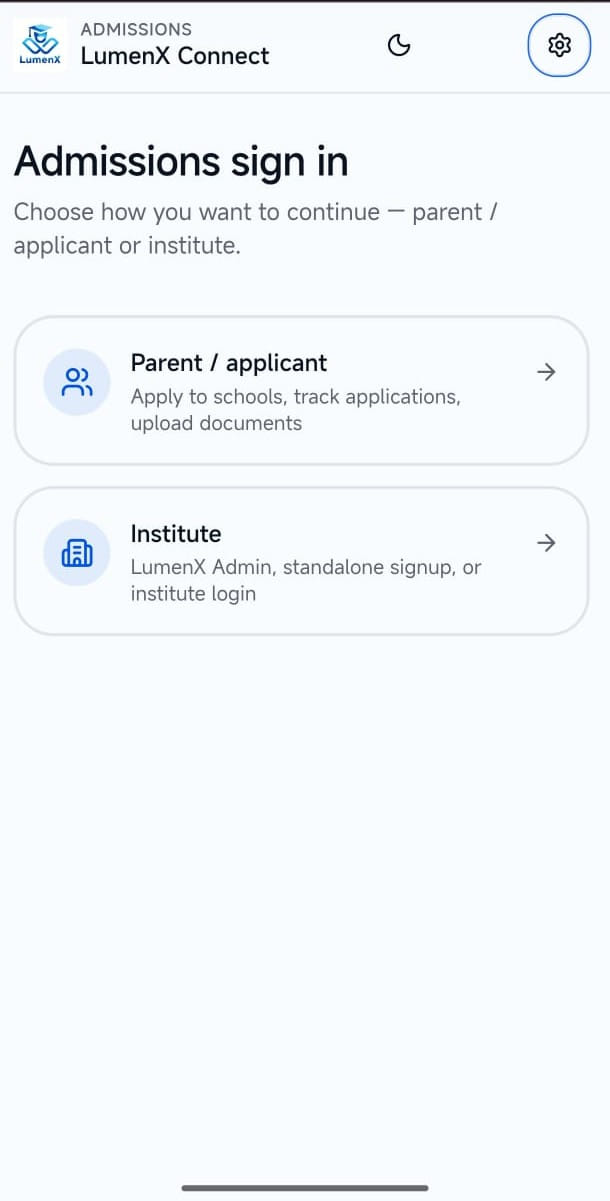
Sign in. Applicant or institute access to the Admissions portal.
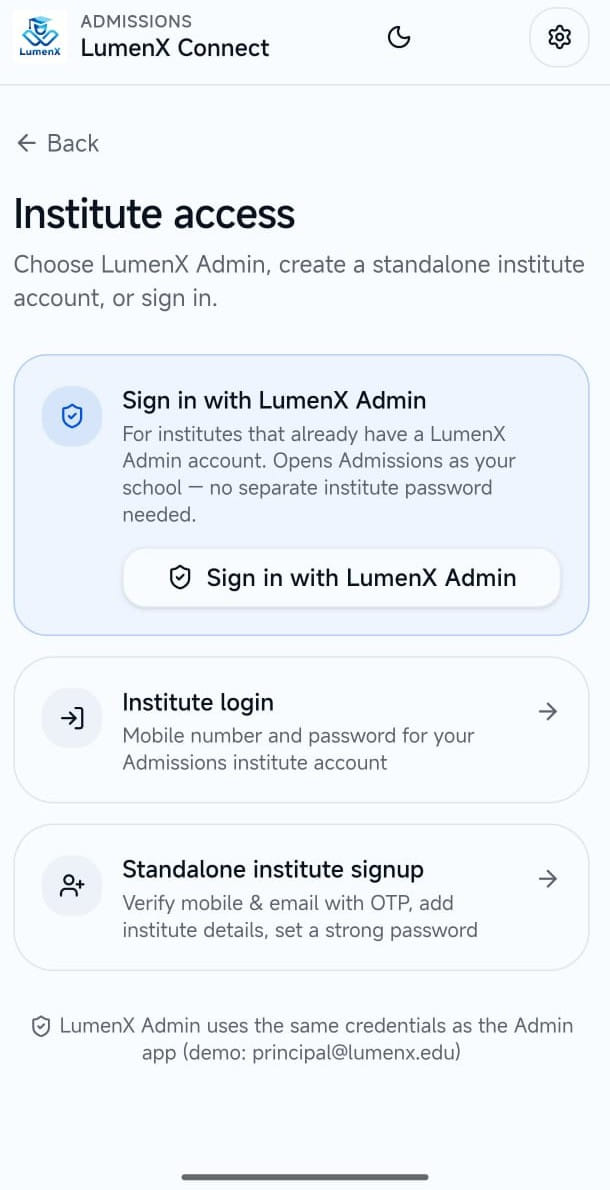
Institute access. Institute handoff and access paths into Admissions.
Book a demo to see Admissions alongside Admin conversion. The module is enabled per institute after verification.