
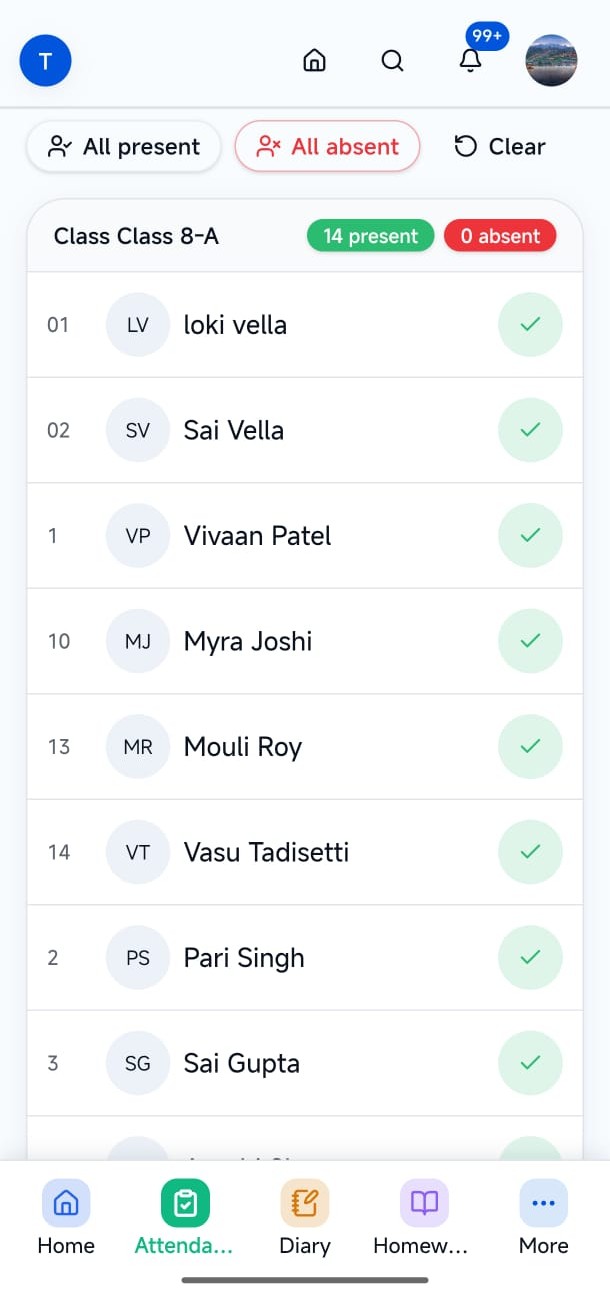
Attendance
Teachers mark class attendance. Parents and students see their own presence history.
- Who uses it
- Teachers mark · parents & students view
- Workflow it simplifies
- Keep presence current without paper registers or group chats.
Campus · Connect
LumenX Connect is the campus portal with strict role isolation. Teachers, parents, and students each see navigation and records relevant to their role — drawn from the Admin institute record, not a parallel database.
Mobile-first portal for parents, teachers, and students. Android builds when published.
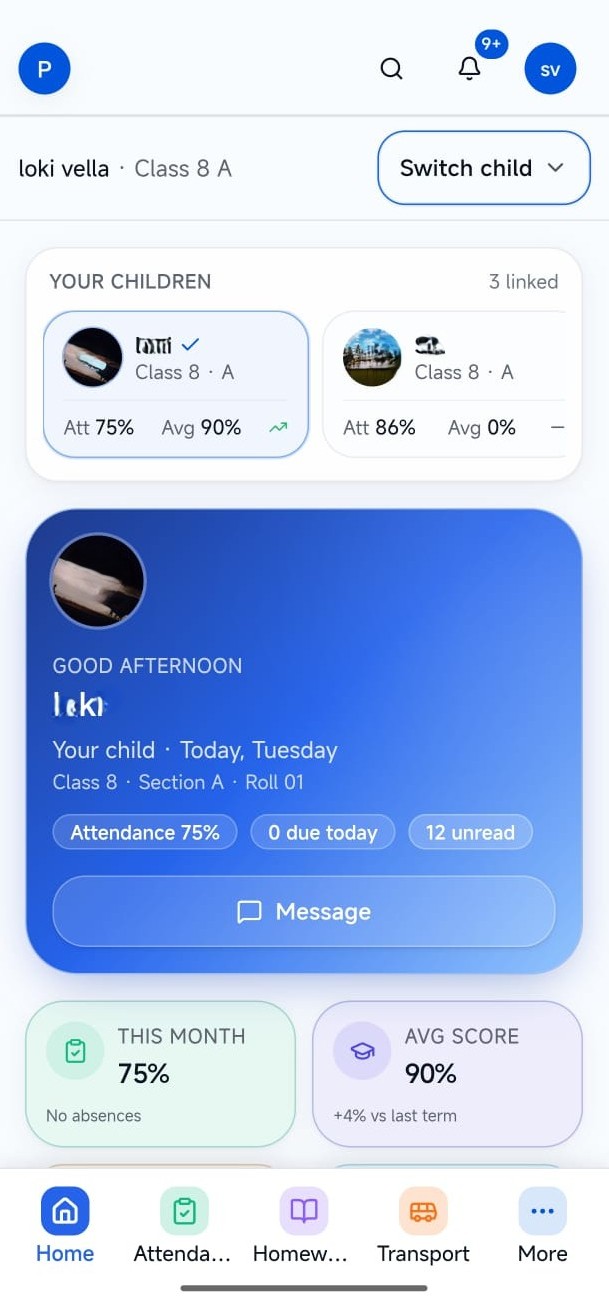
Teachers mark attendance and share class work. Parents follow linked children. Students need their own timetable and results. Shared logins and forwarded screenshots create confusion and oversharing.
Office tools are the wrong shape for parents and students — and classroom tools are wrong for the front office.
Attendance, homework, and notices travel through chats instead of role-aware surfaces.
Without isolation, people see class lists or fee details that are not theirs.
Each card reflects a verified workspace in the product — not a generic feature list shared across LumenX apps.
Teachers mark class attendance. Parents and students see their own presence history.
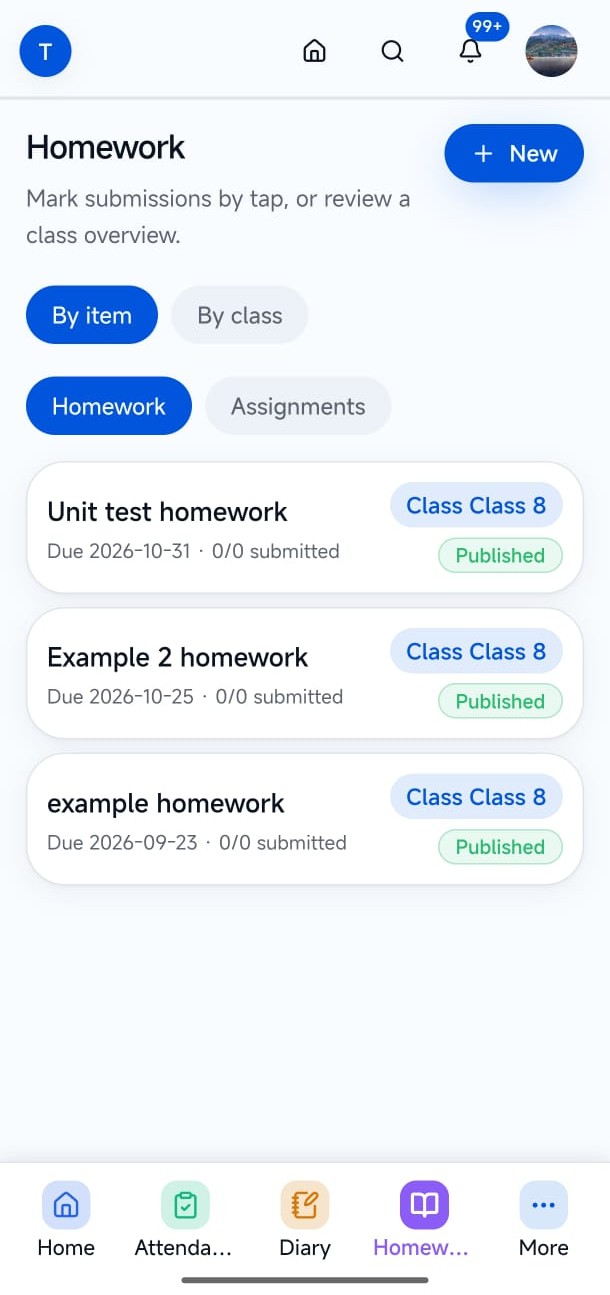
Teachers publish class work. Families and students read items for their own record.
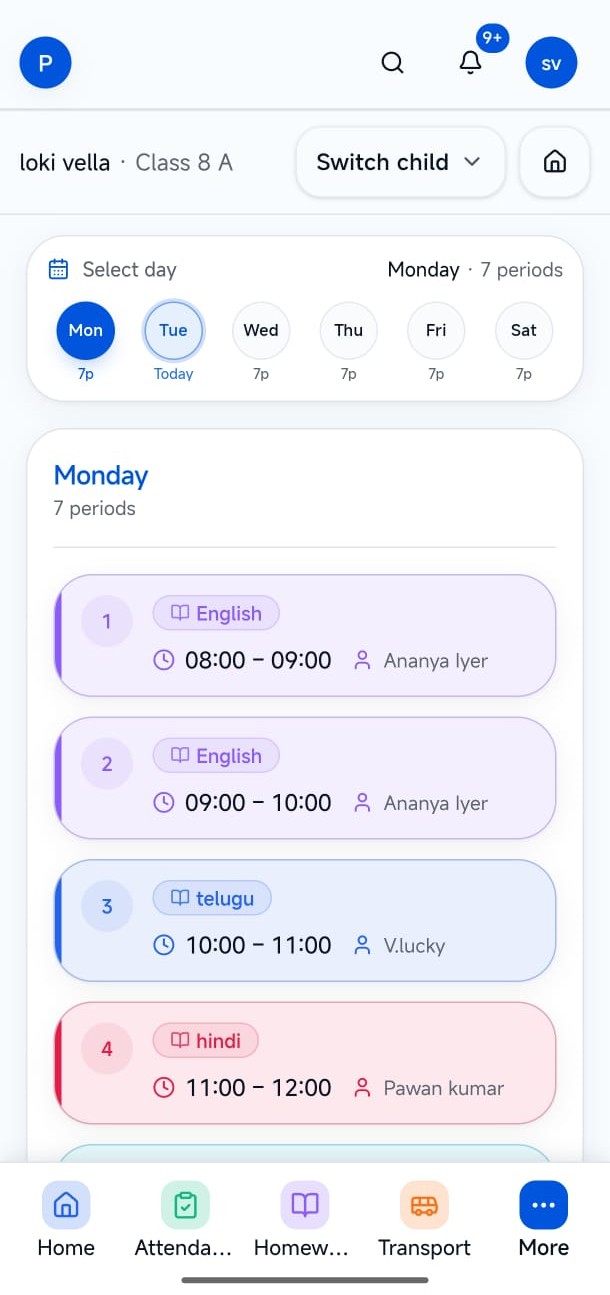
Period schedules surfaced for the roles who need them.
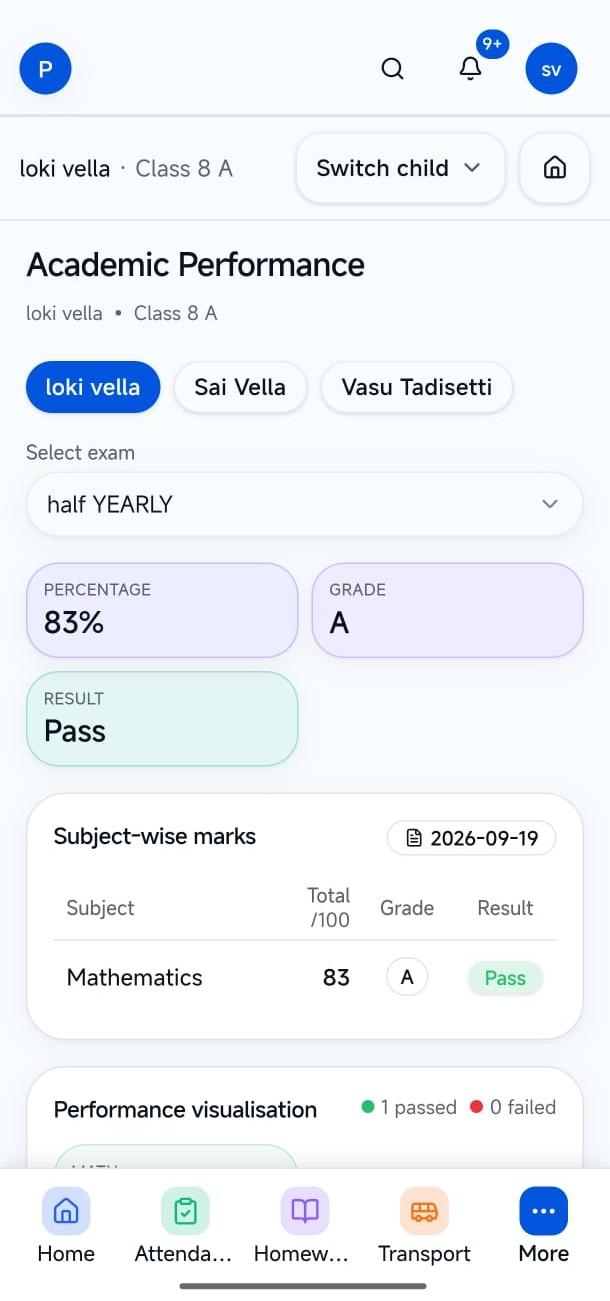
Published exams and marks for the student’s own academic record.
Dues and history for parents and students. Fee structures still live in Admin.
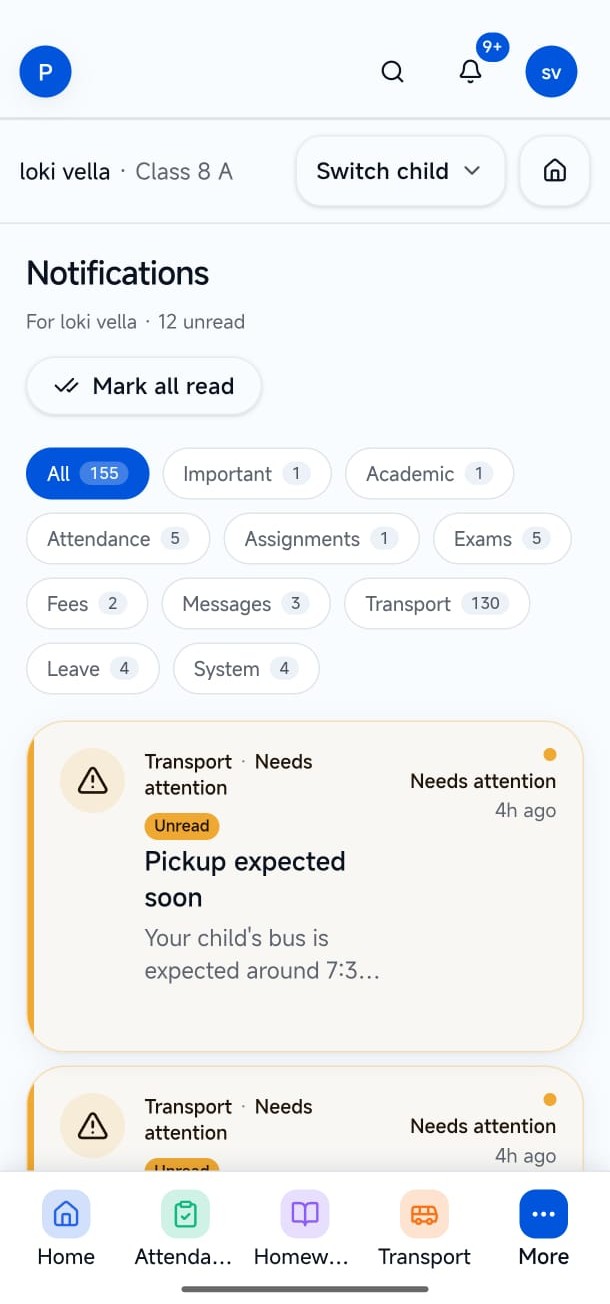
In-app messages, notifications, and alerts for the people who need them.
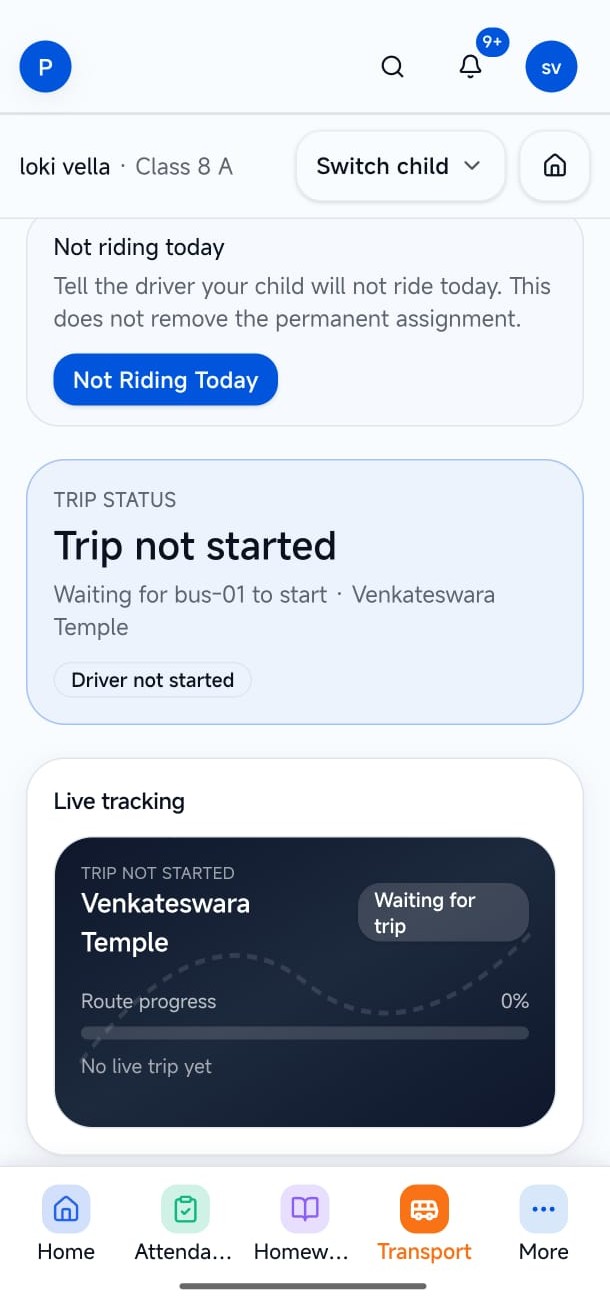
Trip status and boarding timeline when Transport is enabled — not a driver control panel.
Each role gets navigation and records relevant to their work. No role inherits another role’s menu.
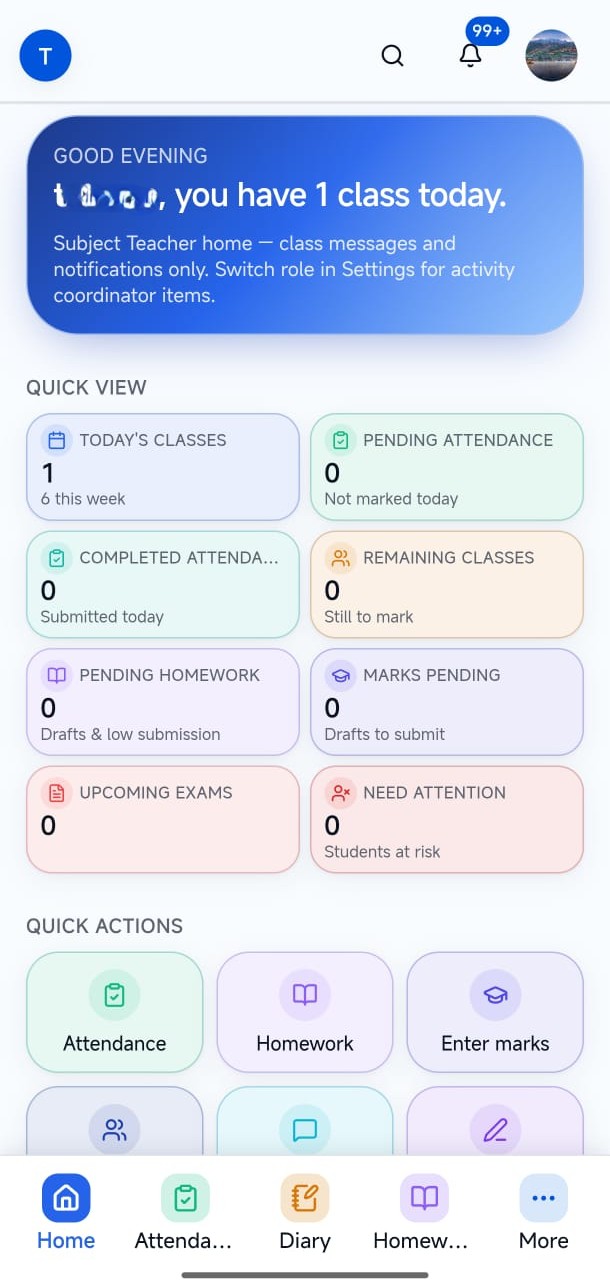
Teachers work with assigned classes — attendance, diary, homework, marks, exams, students, and messages. Classroom tools stay separate from parent and student navigation.
Parents switch between children in one account and see attendance, fees, homework, marks, messages, and transport status that belong to those children — not school-wide rosters.
Students see personal academic information — timetable, attendance history, assignments, marks, exams, and permitted updates — without access to teacher tools or other students’ records.
Steps below match verified product flows — setup, daily use, and hand-offs to related LumenX apps.
The office creates the person in Admin and issues Connect access.
Role decides navigation — not a shared menu for everyone.
Connect reads what Admin allows. It does not become a second SIS.
Teachers, parents, and students with institute-issued credentials.
Mark attendance and share class work from a phone-friendly portal.
Follow linked children without calling the office.
See personal academic information — nothing else.
Captions explain what each screen demonstrates. Images keep their natural aspect ratio — nothing important is cropped.
Parent home. Multi-child home for parents.
Teacher home. Subject teacher day — classes and actions at a glance.
Attendance. Teachers mark the class; families see their own record.
Homework. Published homework and submissions in one place.
Timetable. Periods, subjects, and teachers for the day.
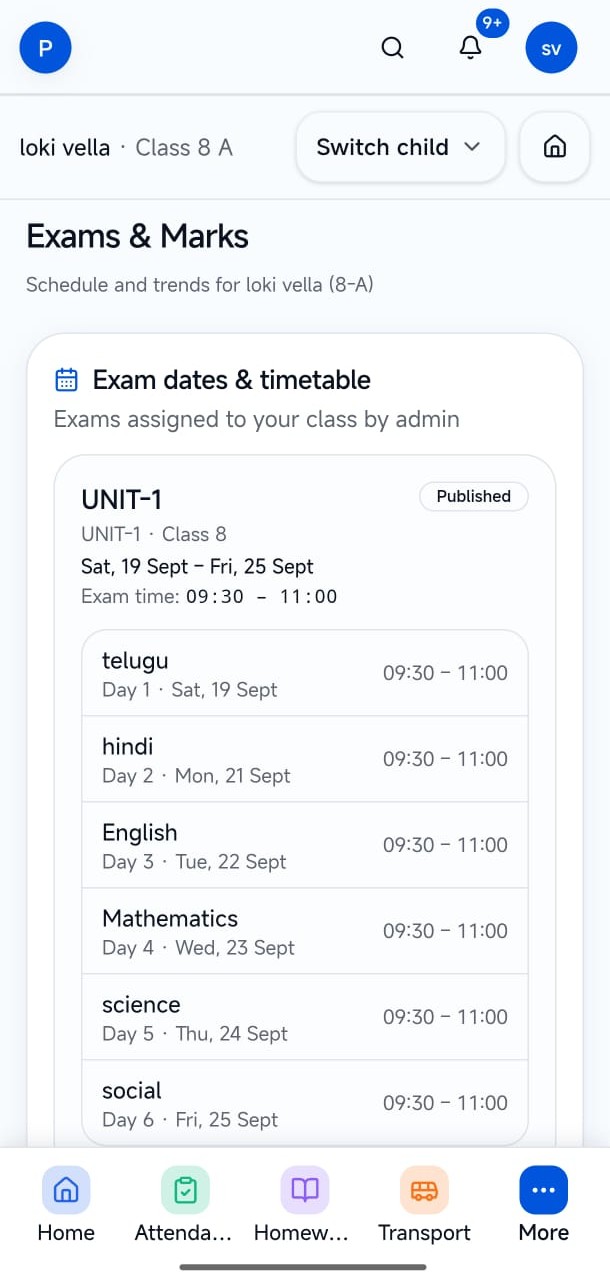
Exams. Published exam schedule.
Marks. Subject results for the child.
Notifications. In-app alerts — not a public SMS gateway.
Transport status. Trip status families see when Transport is on.
Book a demo to see teacher, parent, and student experiences. Credentials are issued by the institute office — not this website.