
Driver home & trips
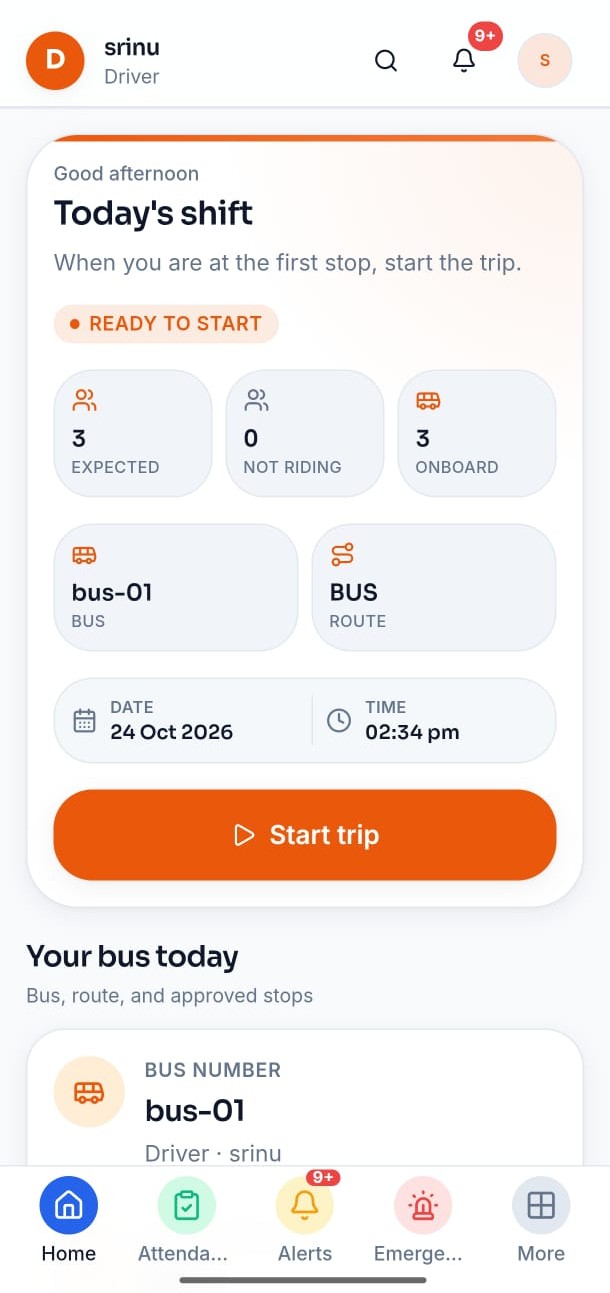
Start and run assigned morning or afternoon trips from a dedicated driver home.
- Who uses it
- Drivers
- Workflow it simplifies
- Execute today’s trip without borrowing Admin or Connect.
Fleet · Transport
LumenX Transport is the driver app for executing assigned trips — boarding, trip status, and emergency notes. Admin assigns vehicles, routes, and students. Parents follow trip status in Connect when the module is on.
Android driver app when published. Fleet assignment and review live in Admin.
Drivers need today’s stops and boarding clarity. The office needs assignment and emergency visibility. Families want trip status without interrupting the driver or front desk.
Boarding lists change, and the office cannot see what happened on the route.
Status updates and emergencies arrive as ad-hoc calls instead of structured notes.
Parents lack a clear place to follow trip status when Transport is part of campus life.
Each card reflects a verified workspace in the product — not a generic feature list shared across LumenX apps.
Start and run assigned morning or afternoon trips from a dedicated driver home.
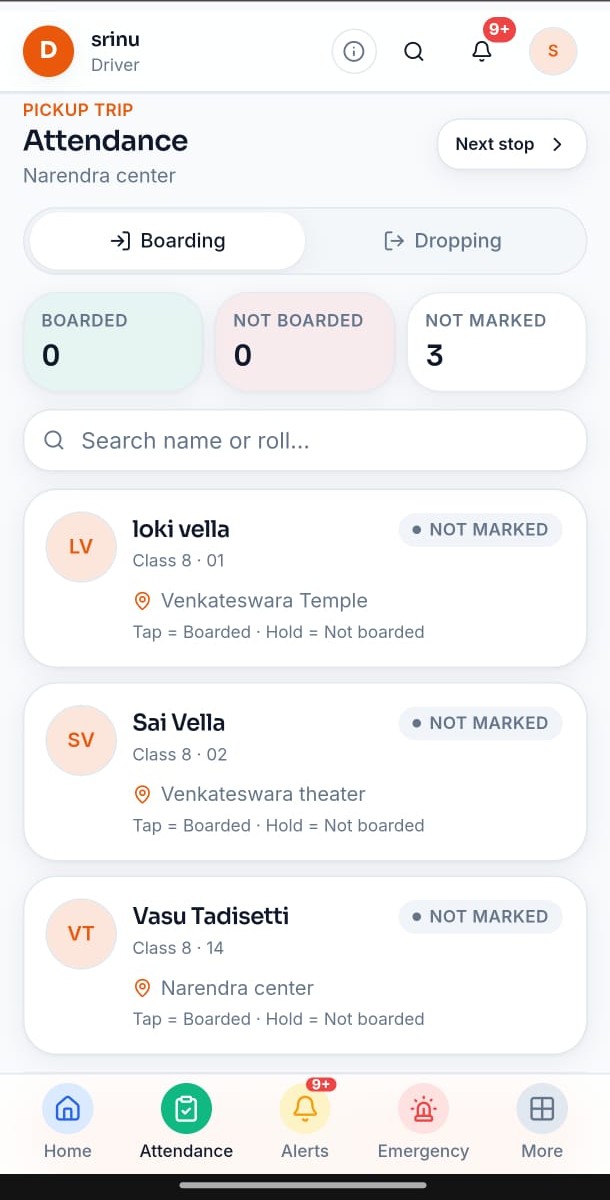
Stop-ordered boarding marks and counts the office can review.
Admin transport hub for vehicles, drivers, stops, routes, student assignment, publish, and trips.
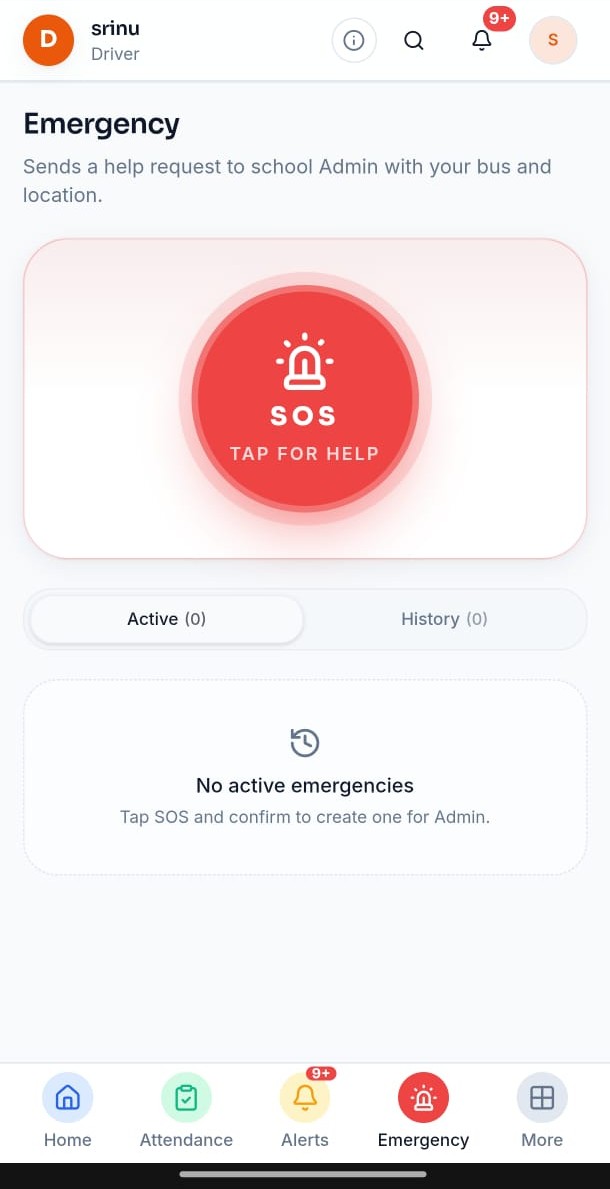
Drivers can raise an emergency note that reaches Admin and Connect. It is not SMS, a phone call, or a push gateway.
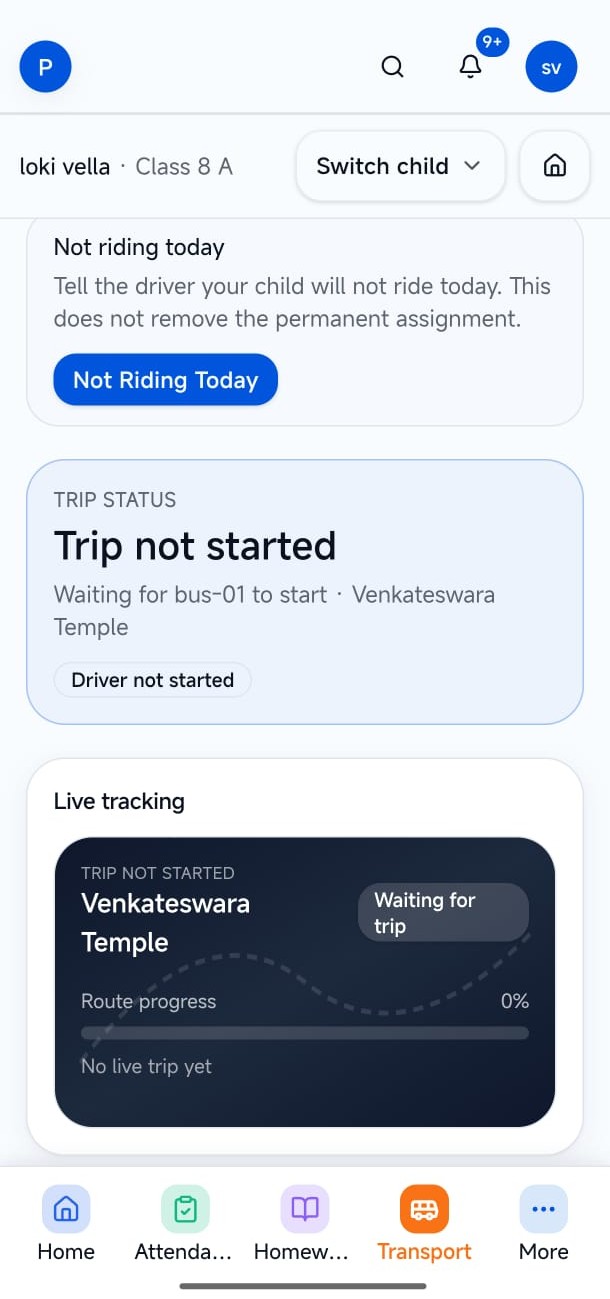
Connect shows bus, stop, timeline, and trip status when Transport is enabled — not a live telematics map product.
Steps below match verified product flows — setup, daily use, and hand-offs to related LumenX apps.
Admin configures vehicles, drivers, stops, routes, and student transport assignments.
The driver starts the trip, marks boarding, and can raise an emergency note.
Parents see trip status in Connect when Transport is on.
Drivers, transport in-charge (Admin), and parents who follow trip status in Connect.
Execute today’s trip from a dedicated app.
Coordinate fleet work from Admin.
See trip status without interrupting the road.
Captions explain what each screen demonstrates. Images keep their natural aspect ratio — nothing important is cropped.
Driver home. Start the shift when you are ready for the first stop.
Boarding. Pickup attendance — clear boarded / not boarded actions.
Emergency. SOS note to school Admin — not SMS dispatch.
Parent trip status. Families follow trip status in Connect when Transport is on.
Book a demo to see Admin assignment alongside the Transport driver app. Transport is enabled per institute after verification.